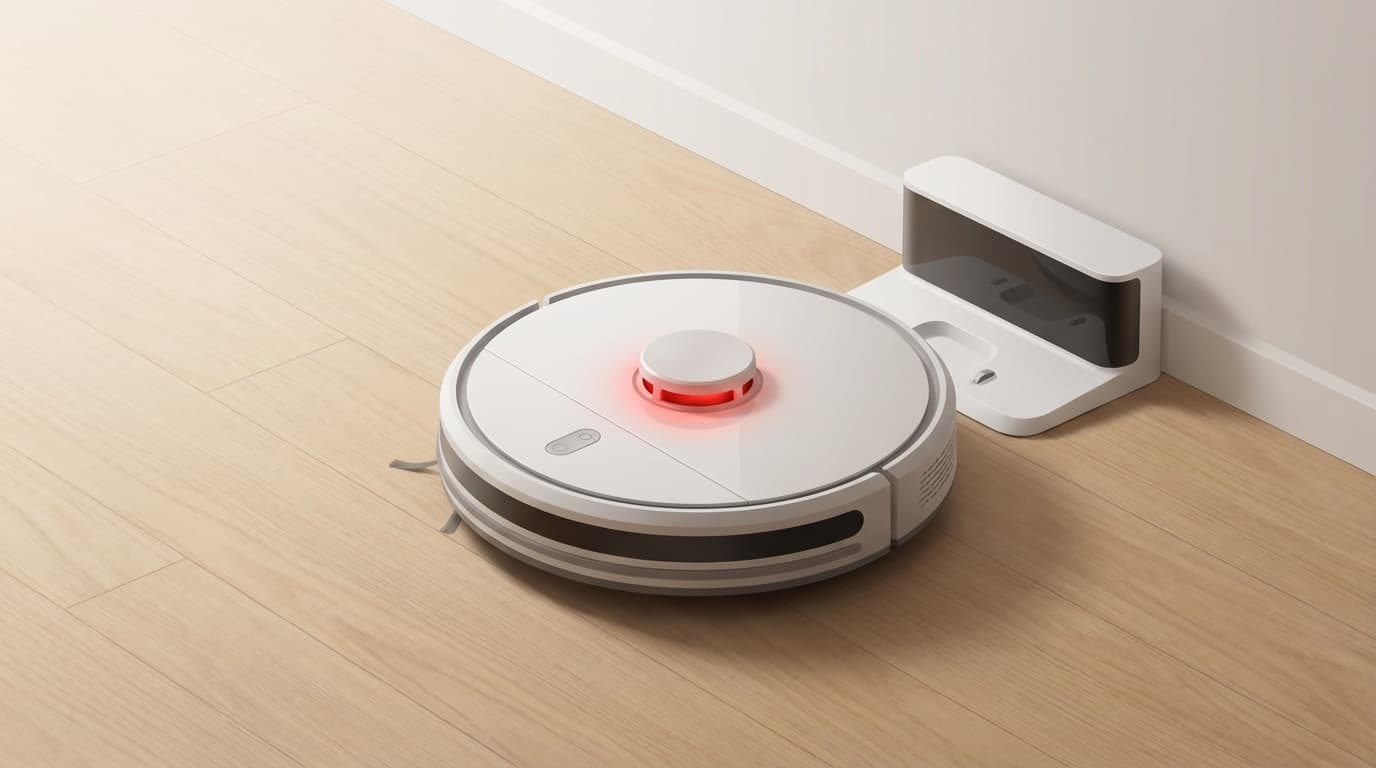
"My robot vacuum cleaner, which was working normally until yesterday, suddenly stopped working..." "Even though I put it in the charging station, the light stays red forever." Have you ever had such an experience?
As of February 2026, the penetration rate of robot vacuum cleaners in Japan has exceeded approximately 15%, and they are no longer a rare home appliance. However, unlike a regular vacuum cleaner, it has complex parts such as the sensor, battery, and charging station that work together, making it difficult to determine the cause of the problem.
This article provides an easy-to-understand explanation of six reasons why a robot vacuum cleaner may not work or charge, and what you can do to deal with it yourself. Before sending it in for repair, try the methods described here first.
Cause 1: Dirty charging terminal (contact)
This is the most common reason why a robot vacuum cleaner cannot be charged. If dust or sebum dirt accumulates on the metal terminals on the back of the main unit and the terminals on the charging station side, electricity will not flow properly.
Workaround:
- Turn the device over and gently wipe the metal charging terminal with a dry cloth or melamine sponge
- Wipe the terminals on the charging station side in the same way
- If the dark spots are severe, it is effective to wipe with a cloth dampened with absolute ethanol
In the case of Roomba, the iRobot official support page also advises, ``Please wipe the charging connection with a dry cloth.'' There are quite a lot of cases where this alone will bring the device back to life, so please try this first.
Cause 2: Battery deterioration/lifespan
The robot vacuum cleaner battery has a limited lifespan. Roughly speaking, lithium-ion batteries degrade in performance after 300 to 500 charge cycles. If you use it every day, it is not uncommon for it to need to be replaced every 1 to 2 years.
Signs of battery deterioration:
- Even when fully charged, the operating time is less than half of what it was when purchased
- The red light remains on even when placed at the charging station
- Now stops in the middle of cleaning
- It takes an unusually long time to complete charging
Workaround:
- Roomba: You can purchase a replacement battery at iRobot Official Store or a consumer electronics retailer. Many models allow you to remove and replace the back cover yourself
- ECOVACS (DEEBOT): Compatible batteries are sold on the official website and Amazon. If you contact ECOVACS official support, they will guide you to genuine products
- Anker (Eufy): Anker Official Support. Warranty may apply within 18 months of purchase
The cost of battery replacement is approximately 3,000 to 8,000 yen for a genuine product (as of February 2026). Consider replacing the battery first, as it is often cheaper than sending it in for repair.
Cause 3: Debris entangled in wheels/brush
If the robot vacuum cleaner does not work (turns on but does not run), there is a high possibility that hair, pet hair, or lint has gotten tangled in the wheels or brush.
Workaround:
- Turn the unit over and try turning the left and right wheels by hand. If it does not rotate smoothly, there is a foreign object stuck
- Remove the main brush and side brush and remove tangled hair and debris with scissors or tweezers
- Dust tends to get clogged around the wheel axle, so clean it with a thin stick or air duster
- Check that the garbage tank (dust box) is not full
For Roomba, the error code "Error 1" indicates an abnormality in the right wheel, and "Error 2" indicates an abnormal rotation of the brush. Checking the Error code list will help you identify where the problem is.
Cause 4: Improper location of charging station
If "cleaning starts, but it doesn't return to the charging station...", there may be a problem with the location of the station.
The robot vacuum cleaner detects the location of the charging station using infrared rays and sensors. If there are obstacles around the station, it will not be recognized properly.
Installation points:
- Do not place objects 50cm on the left and right sides and 100cm in front of the station (recommended values from Panasonic official FAQ)
- Place it firmly against the wall to prevent it from shifting (laying a non-slip mat is also effective)
- Avoid places exposed to direct sunlight or near devices that emit infrared radiation (such as televisions)
- Install on a flat place with no steps or thresholds
- Avoid sitting right next to a Wi-Fi router as there is a risk of radio wave interference
In the case of ECOVACS DEEBOT, there are many reports that charging became possible simply by changing the installation location of the station (see ECOVACS official FAQ).
Cause 5: Dirty or defective sensor
Robot vacuum cleaners are equipped with multiple sensors. "Cliff sensor" to detect steps, "bumper sensor" to detect walls, "camera/LiDAR" to avoid obstacles, etc. If these become dirty, it may cause malfunction or stoppage of operation.
Workaround:
- Clean the sensor (the small transparent window-like part) on the bottom of the main unit with a dry, soft cloth
- Try pushing the bumper (front collision detection part) with your hand and see if it returns properly
- For models with a camera, also wipe off dust from the camera lens
Roomba's "Error 11" is an error code that indicates a problem with the level difference sensor (cliff sensor). If the problem persists even after wiping the sensor, contact iRobot Official Support.
Cause 6: Software problem (often fixed by resetting)
If the above solutions still do not work, there may be a software problem. Just like with smartphones, there are many cases where robot vacuum cleaners can be fixed by restarting.
Reset method by manufacturer:
Roomba (iRobot):
- Press and hold the CLEAN button for 20 seconds (release when the light flashes)
- For app-linked models, "Delete Roomba" from the iRobot HOME app → re-pairing is also enabled
ECOVACS (DEEBOT):
- Press the reset button on the back of the main unit with a thin rod
- For many models, mapping data does not disappear even after resetting (ECOVACS Official FAQ)
Anker (Eufy):
- Turn the power switch on the back of the main unit OFF → wait 10 seconds → turn ON
- If the problem persists, turn the power switch OFF/ON while the device is on the charging station
If the issue does not improve after resetting, please check if there is a firmware update for the app. The problem may also be caused by outdated firmware.
What if the problem still persists? How to ask for repair/support
If it still does not work even after trying all the above solutions, an internal failure is suspected. Please contact each manufacturer's support center.
Things to prepare before making an inquiry:
- Product model number (listed on the label on the back of the main unit)
- Purchase date and place of purchase (warranty card or receipt)
- Symptoms and error codes (if any)
- Details of tried solutions
Estimated warranty period (as of February 2026):
- Roomba: 1 year from purchase (if officially purchased and registered)
- ECOVACS: 1 year from purchase
- Anker Eufy: 18 months from purchase (for Anker official purchase)
Repair costs outside the warranty period are approximately 5,000 to 15,000 yen, depending on the condition. If the purchase price is low, it may be more reasonable to replace than repair, so get an estimate before making a decision.
FAQ
How long is the battery life of a robot vacuum cleaner?
For a typical lithium-ion battery, the approximate lifespan is approximately 300 to 500 charge cycles. If you use it every day, it will need to be replaced in 1 to 2 years, and if you use it 2 to 3 times a week, it will need to be replaced in about 2 to 3 years. If the operating time is less than half of what it was when you bought it, consider replacing it.
Where can I check the Roomba error code?
The Roomba itself will read out the error details, or you can check the error code from "History" in the iRobot HOME app. A list of error code meanings and solutions can be found on iRobot official support page.
Is it okay to use compatible batteries?
It works, but the quality varies so be careful. If you use a compatible product, it may not be covered by the manufacturer's warranty. If in doubt, choose a genuine battery or a manufacturer-approved replacement.
What do the colors of the charging station lights mean?
It varies depending on the manufacturer and model, but generally indicates "green light = charging complete," "orange light = charging," and "red light = error or battery abnormality." Please check each manufacturer's instruction manual for the exact meaning.
Why does the robot vacuum cleaner immediately display "cleaning complete"?
The main causes are a full garbage tank, dirty sensor, low battery, or too many obstacles in the room. Empty the trash tank, wipe the sensor, and try again with a full charge.
References
- Roomba doesn't work — iRobot Official Support
- A thorough explanation of the list of Roomba error displays — Vacuum cleaner home appliance navigation
- Nothing happens when I press the reset button — ECOVACS Japan official
- Eufy Robovac error code FAQ — Anker Japan official
- About the installation location of the charging stand for the robot vacuum cleaner Rulo — Panasonic official
- Why can't the robot vacuum cleaner be charged? Introducing easy solutions — Narwal Japan